
The Arrow Cycle

Overview
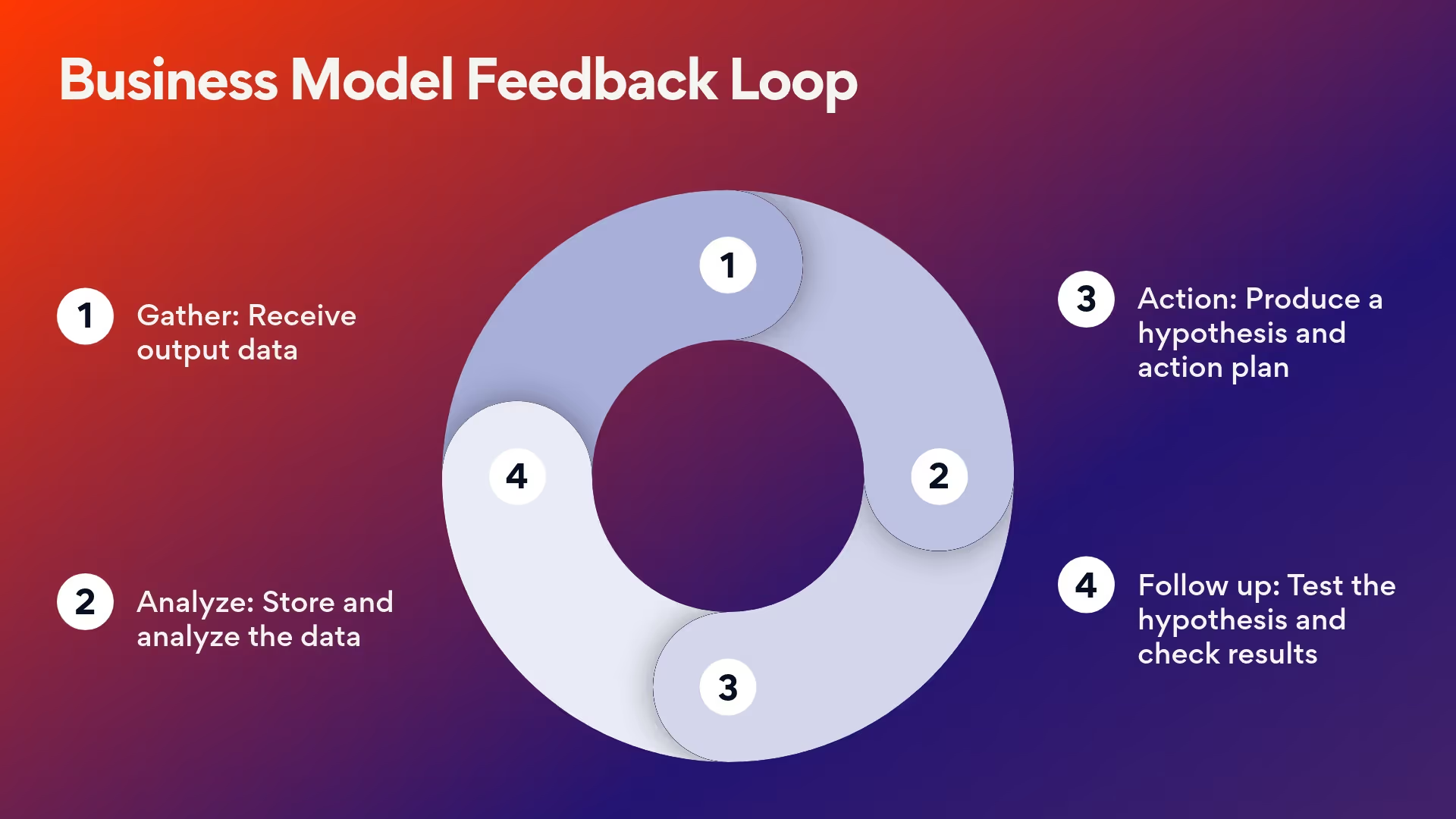
Simplify process mapping for better team alignment. An arrow cycle presentation slide template can be used to illustrate processes that repeat over time like the cycle of product development— from ideation to launch. Demonstrate how various components of a business interconnect, such as input, production, consumption, and feedback loops.
Now, you can easily customize and add an arrow cycle template to your next presentation.
Use an arrow cycle template to:
- Showcase a business model at a bird’s-eye view
- Display a complex process in a clear, visual way
- Align on processes for more successful execution
Pro Tips for Creating an Arrow Cycle Template


Use colors to call out important steps.
Using contrasting colors can help differentiate various phases in cycles like the marketing funnel or customer journey.
Avoid too much text.
Let your arrow cycle template be the star of the show. Add text to label information when needed, but save the extra details for your speech or other slides.
Limit the steps you include.
If you have more than six or seven steps in your cycle, you may need to create a second cycle or use a different diagram for your data.
Browse more templates
AI-powered Smart Slides that do the design for you
Build your next presentation using Smart Slides—the intelligent building blocks behind every Beautiful.ai presentation. Each Smart Slide is customizable, editable with AI, and automatically adapts layout and spacing as your content changes.
Smart Slides are your built-in designer
Smart Slides auto-align, resize, and animate your content as you edit, so you focus on the message, not formatting.

Start your way, refine with Smart Slides Short heading here
Begin with AI, a deck template, or one slide at a time. No matter how you start, all our presentations are powered by Smart Slides.
Add a designer slide layout
Choose from over 300 Smart Slide layouts for any purpose: data, comparisons, quotes, timelines, image grids, and more.
Edit at superspeed
Add your content and the Smart Slide design logic auto-adjusts spacing, text, and visuals as you edit. Say goodbye to nudging text boxes.
Present & impress
Wow your audience with built-in slide animations, and data visualizations that make your story come alive.


“Beautiful.ai helps us quickly create clear and compelling presentations to share our strategy and results. It has been easy to integrate our branding and to pull from the library of materials created by others — building a cohesive and collaborative suite that helps us advance our mission."

"Beautiful.ai increased our efficiency. I mean, 50% sounds crazy, but it's pretty accurate when you consider all of the manual stuff that we used to have to do that Beautiful.ai now does for us."

"What you guys have created is a foolproof way to ensure quality presentations. It's almost just like they have a graphic designer over their shoulder while they're creating their decks."

“For any business owner or entrepreneur where time is of the essence you lose the ability to put those nice touches on presentations, Beautiful.ai does it for you, especially if you aren't creatively gifted!”
Ready-to-use presentation templates for creating full, polished decks.


Pitch Decks


Reports & Reviews


Plans & Strategies

Try it free for 14 days
Start building Beautiful presentations.
